Connecting Max (VK)
Max is a messenger from the VK/Mail.ru ecosystem. The app/Modules/Max/ module receives incoming messages via webhook and forwards them to the Telegram support group. Manager replies are delivered back to the user in Max.
Webhook endpoint: POST /api/max/bot
1. Create a bot in Max
- Go to the platform and sign in at business.max.ru.
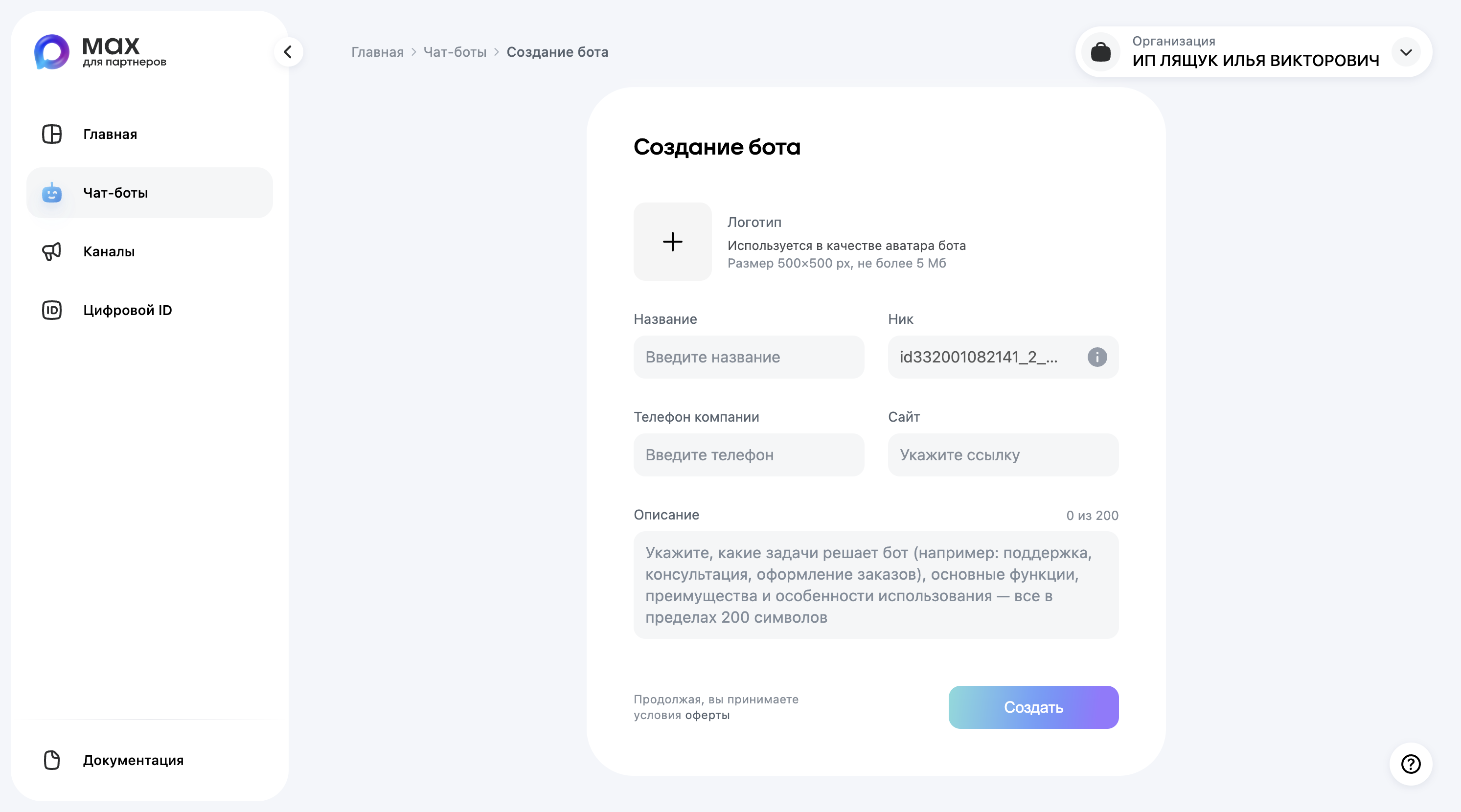
- Fill in the form to create a new bot in Max.
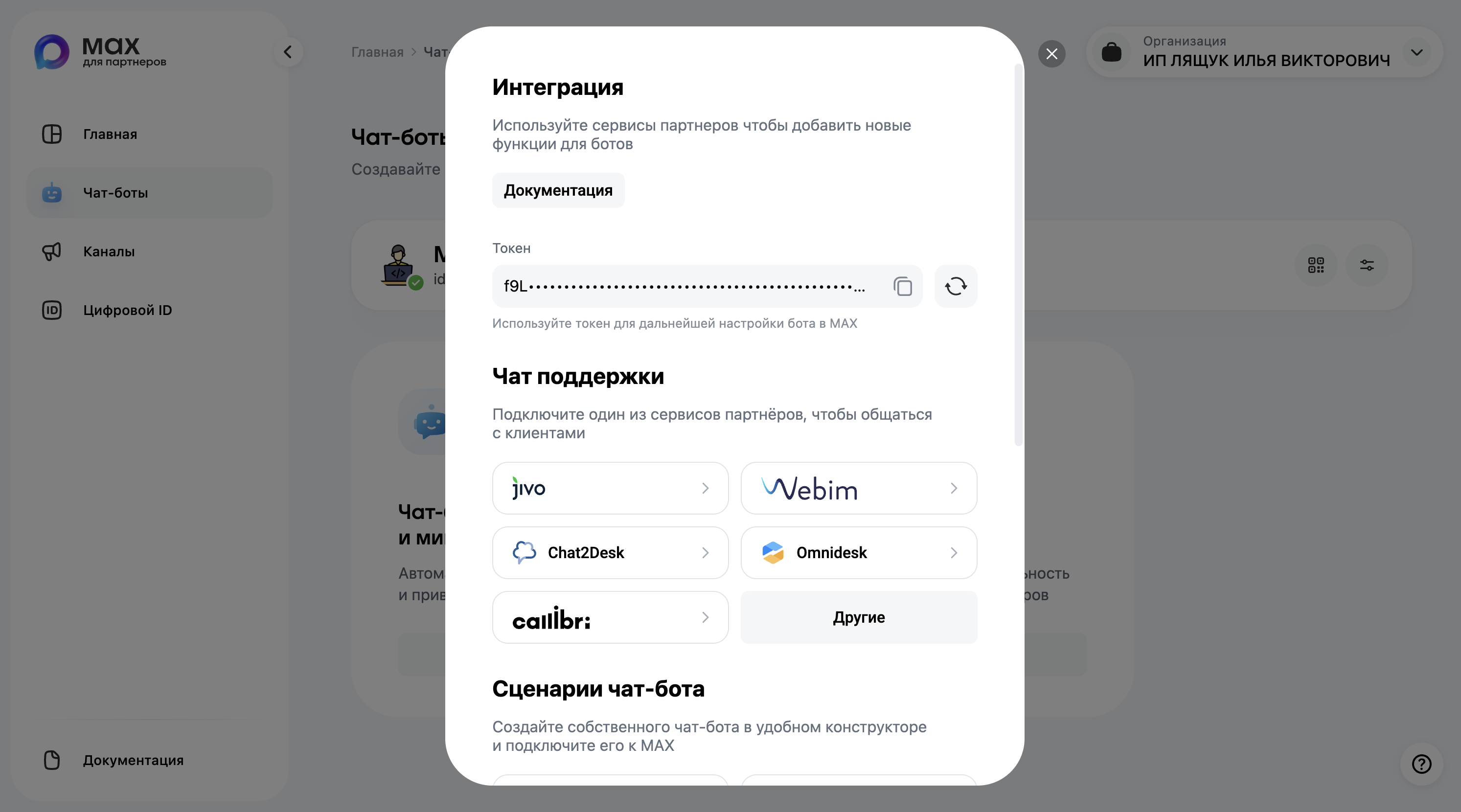
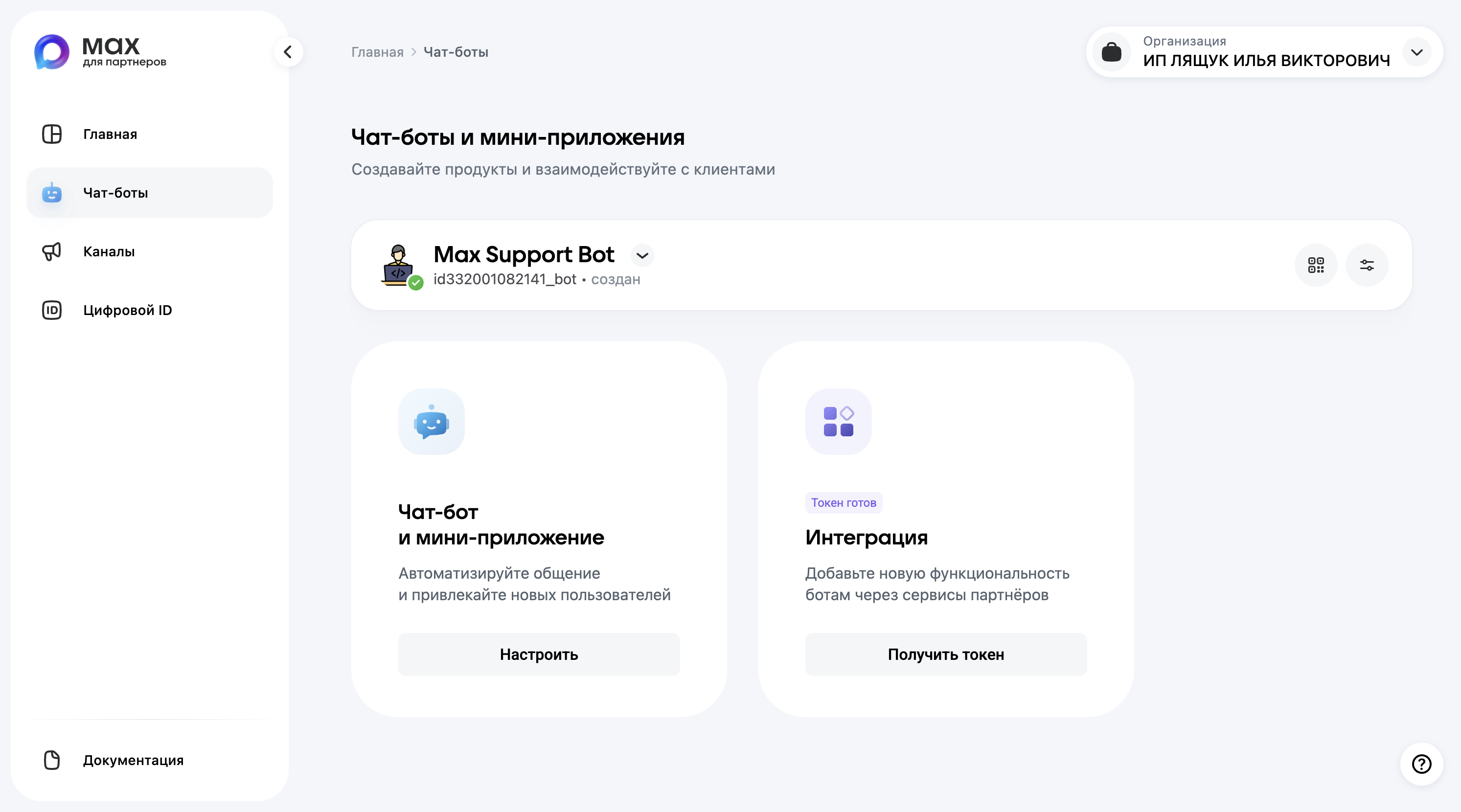
- After the bot is created, copy the token — you will need it for
MAX_TOKEN.

2. Configure environment variables
Open .env on the server and add:
MAX_TOKEN="your_bot_token"
MAX_SECRET_KEY="choose_an_arbitrary_secret_key"MAX_SECRET_KEY is an arbitrary string used to verify requests from Max. Max will send it in the X-Max-Bot-Api-Secret header with every webhook request.
Restart the container to apply the new configuration:
docker compose restart app3. Register the webhook
Max does not provide a web interface for webhook registration. Registration is performed through the API using the bot token.
3.1. Using curl
curl -X POST "https://platform-api.max.ru/subscriptions" \
-H "Content-Type: application/json" \
-d '{
"url": "https://YOUR_DOMAIN/api/max/bot",
"update_types": ["message_created", "bot_started"],
"secret": "YOUR_MAX_SECRET_KEY"
}'Expected response:
{ "success": true }3.2. Allowed webhook ports
Max only accepts webhooks on the following ports:
| Ports |
|---|
| 80, 443 |
| 8080, 8443 |
| 16384–32383 |
4. Verify webhook registration
curl "https://platform-api.max.ru/subscriptions" \
-H "Authorization: Bearer YOUR_MAX_TOKEN"Expected response:
{
"subscriptions": [
{
"url": "https://your-domain.com/api/max/bot",
"time": 1700000000000,
"update_types": ["message_created"]
}
]
}5. Connection checklist
- [ ] Bot created and token obtained
- [ ]
MAX_TOKENset in.env - [ ]
MAX_SECRET_KEYset in.env - [ ] Container restarted (
docker compose restart app) - [ ] Webhook registered via API (step 3)
- [ ] Webhook registration confirmed (step 4)
- [ ] A test message from a Max user appears in the Telegram group
- [ ] A manager's reply from Telegram is delivered back in Max
6. Troubleshooting
6.1. Webhook does not register
- Make sure the domain is publicly accessible and serving HTTPS.
- Check that the port is in the allowed list (80, 443, 8080, 8443, 16384–32383).
- Verify that the token in
MAX_TOKENis correct.
6.2. Endpoint returns 403
- Make sure
MAX_SECRET_KEYin.envmatches thesecretvalue used when registering the webhook. - Verify that the
X-Max-Bot-Api-Secretheader is sent with the correct value.
6.3. Messages do not appear in the Telegram group
Check the application logs:
docker exec -it pet tail -f storage/logs/laravel.logMake sure the queue worker is running:
docker exec -it pet php artisan queue:work6.4. Remove the webhook
curl -X DELETE "https://platform-api.max.ru/subscriptions" \
-H "Authorization: Bearer YOUR_MAX_TOKEN"After removing the webhook, register it again following step 3.